Storage

Best Label Makers of 2026

There's a particular satisfaction in a shelf of matching jars with matching labels — and a particular irritation in the masking tape version, curling at the corners six weeks later with the ink smudged into a gray blur. I spent years in the second camp, labeling moving boxes with a Sharpie and hoping for the best. A label maker fixes that: the same clean typeface every time, in a stated size, on tape built to survive the freezer and a dishwasher cycle.

The catch is that these machines aren't interchangeable. Some are handheld keyboards that work with no phone at all; others are Bluetooth pucks that live or die by their app. And the machine is the cheap part — the tape is where the money goes, so a budget model with pricey cartridges can cost more than a nicer one by year two. My team has spent six months with 12 label makers, from pocket-size to desktop, labeling pantry jars, cable bins, and school folders. The ones that earned permanent counter space are below.

1

Brother PT-D210

Top Pick
Brother PT-D210

All-round labeling

Our Score 9.2/10
Check Price

Worth Noting

  • No AC adapter or batteries included
Controls
QWERTY keyboard
Max Tape Width
12 mm (0.47 in)
Tapes Included
4
Print Resolution
180 x 180 dpi
Read the full review

Four cartridges come in the box — a short sample plus three full-length rolls — and they are the laminated kind. That distinction is the reason we put this one first. Laminated tape is what lets a label survive a freezer shelf, a wet wipe and a garden pot; paper and plain thermal labels do not. At 12 mm wide it is the standard size for a pantry jar, a file tab or a cable, and 8-meter rolls go a long way before you shop again.

It is also the simplest machine here to hand to someone else. The QWERTY keyboard, the small LCD and plain black-on-white output cover most household jobs, and there is no app, no pairing and no account. We used the frames and symbols about twice and went back to plain text, which is what we suspect most people do once the novelty wears off.

Two limits are worth knowing. The tape tops out at 12 mm, so this makes shelf and file labels rather than the big bin signs a 24 mm machine can print. And 180 dpi is not the sharpest output in this group — small text is clean, but this is not the machine for tiny fine print.

Brother powers it from AAA batteries rather than a built-in cell, so plan for the AC adapter or a pack of batteries in the same order. What keeps it on our shelf is the absence of ceremony: open the lid, type, print, peel. Nothing to charge, nothing to pair, no password to remember.

Bottom line: For most homes this is the label maker to buy: a standalone keyboard machine that prints durable laminated labels and arrives with four tape cartridges.
2

Brother PT-D610BT

Brother PT-D610BT

Desk and workshop

Our Score 9.2/10
Check Price

Worth Noting

  • Only newer TZe cassettes fit
  • Too bulky to store in a drawer
Controls
QWERTY keyboard, Bluetooth, USB
Stored Labels
90
Max Tape Width
Up to 1 in (24 mm)
Print Resolution
180 x 360 dpi
Read the full review

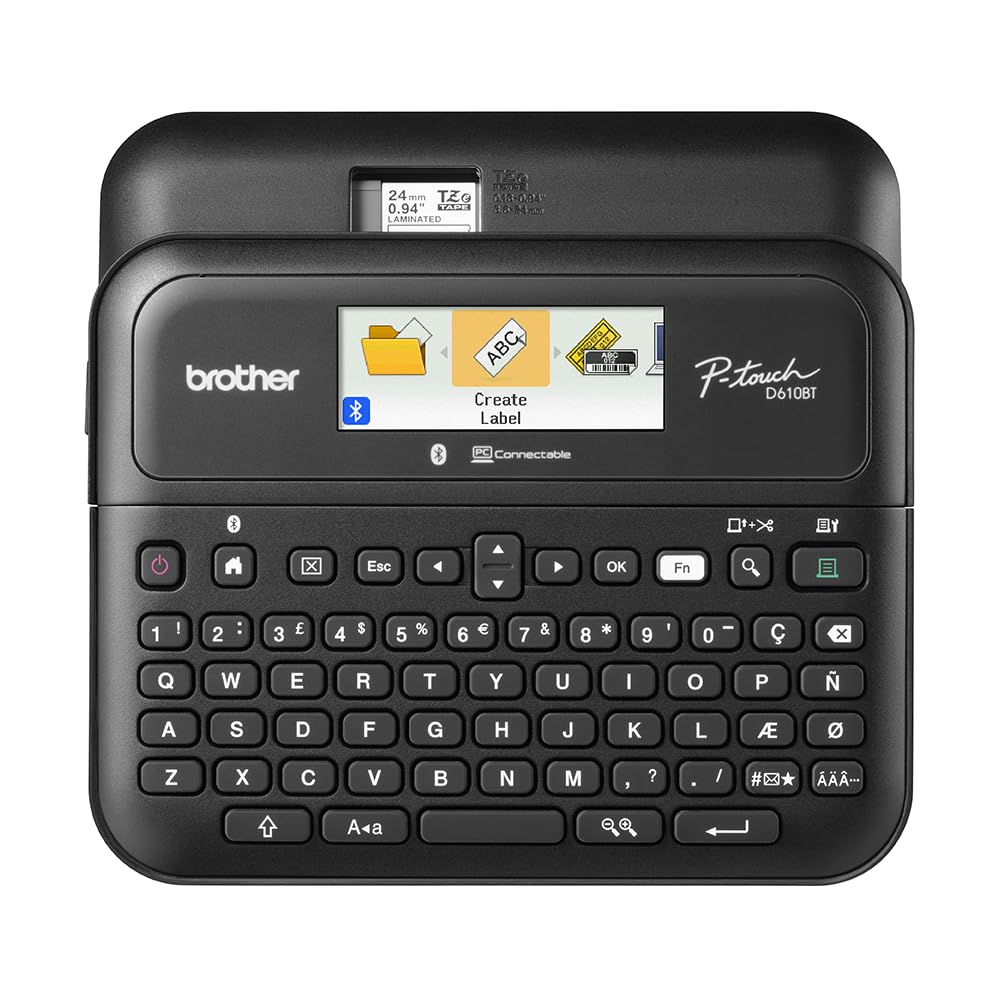
Every machine here prints on 12 mm tape except this one, which takes cassettes up to 24 mm — nearly an inch of label you can read across a garage. It is also the biggest unit in the group at 2.1 pounds, with a full QWERTY keyboard, a 20-character color display and an automatic cutter.

The point of the size is volume. Ninety stored labels and 175 templates are built for the same shelf, asset or file over and over, and Bluetooth plus USB means several people can design from a phone or a computer. We got the most out of it on the desktop with the P-touch Editor software, where a wide label can actually be laid out; the phone app is fine for short text.

This is the pick for a home office, a workshop or a small business labeling equipment, patch panels and archive boxes — the wide tape and the desk footprint belong together. Bluetooth pairing is the thing to test in your first week; USB and the desktop software are the steady fallback if it misbehaves, and it is the setup we settled into.

Bottom line: Buy it when labels are wide, frequent and made at a desk: the 24 mm tape and the color screen earn the space it takes.

3

DYMO LetraTag 100H

DYMO LetraTag 100H

App-free simplicity

Our Score 9.2/10
Check Price

Worth Noting

  • Paper cassette suits short-term labels only
Power
Battery with auto-off
Display
Graphical preview screen
Print Styles
7 styles, 8 boxes
Tapes Included
3 (paper, plastic, clear)
Read the full review

Three cassettes come in the box — paper, plastic and clear plastic — which is a friendlier start than most machines manage. The 100H itself is a small handheld with a graphical screen that previews the label, five font sizes, seven print styles and eight box styles. There is no app and nothing to pair, and an auto-off keeps the batteries from draining in a drawer.

The appeal is the discipline of it: type, check the screen, print, peel. We reached for this one whenever a label needed to exist in the time it takes to make coffee, and it is the machine we hand to someone who has never used a label maker. Treat the paper cassette as temporary — good for a folder tab this month, less so on a garden marker — and save the plastic and clear rolls for anything that has to last.

Bottom line: A calm, app-free handheld for simple labels: three tapes in the box and a screen that shows you the result before you commit.

4

SUPVAN E11

SUPVAN E11

Keyboard and app

Our Score 9.0/10
Check Price

Worth Noting

  • Tape width tops out at 15 mm
  • Cramped thumb-sized keys
Battery
1,200 mAh rechargeable
Controls
Keyboard and Bluetooth app
Tapes Included
4 (two rolls, two die-cut)
Print Resolution
203 dpi
Read the full review

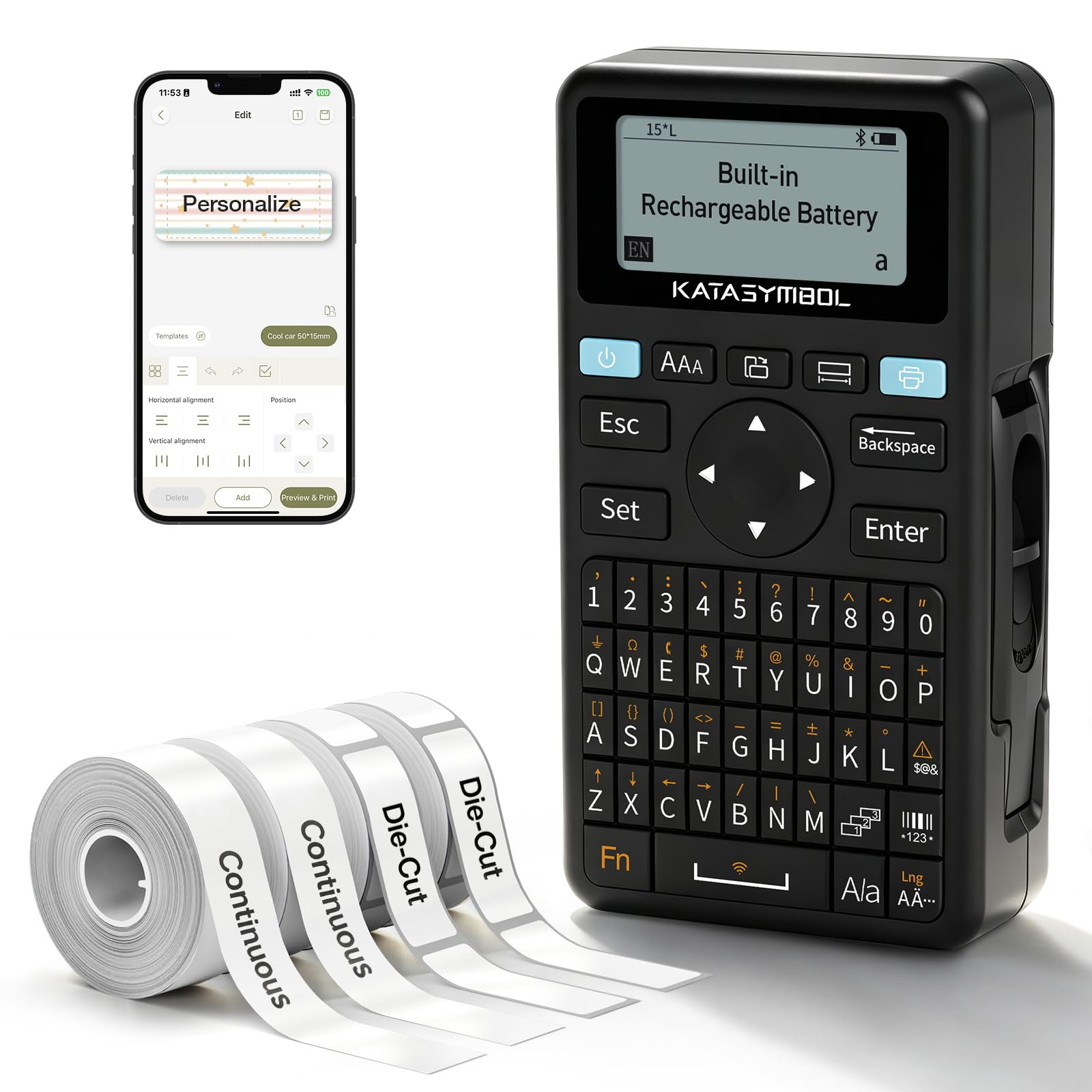
The E11 puts a real keyboard and a Bluetooth app in the same pocket-sized body, and it does that for less money than the keyboard-only machines here. The keyboard handles a quick label; the app handles anything with an icon, a frame or a second language. And at 203 dpi on tape up to 15 mm wide, the output is a step crisper than the 180 dpi top pick.

The keys are thumb-sized on a 5.7-inch body, so we treated the keyboard as a shortcut pad and did the long text in the app, where 30-plus fonts and 660-plus icons are waiting. The printed manual is genuinely hard to read; the app's setup screens got us further. SUPVAN backs it with a two-year warranty, which is generous at this price.

It is rechargeable over USB-C, with a 1,200 mAh cell SUPVAN rates at about a month of use per charge, and four cassettes come in the box — two continuous rolls and two die-cut — so you can start the same evening. The ceiling is tape width: 15 mm is a spice-jar label, not a shelf sign. Buy it for jars, cables and school supplies, not for the garage.

Bottom line: The hybrid to buy if you want app design tools sometimes and a keyboard always, and a sensible second machine for a craft room or dorm.

5

VolenGo M950

VolenGo M950

Dim spaces

Our Score 9.0/10
Check Price

Worth Noting

  • No stated warranty
Battery
1,200 mAh rechargeable
Controls
Keyboard and Bluetooth app
Tapes Included
4 (12 mm x 8 m)
Print Resolution
203 dpi
Read the full review

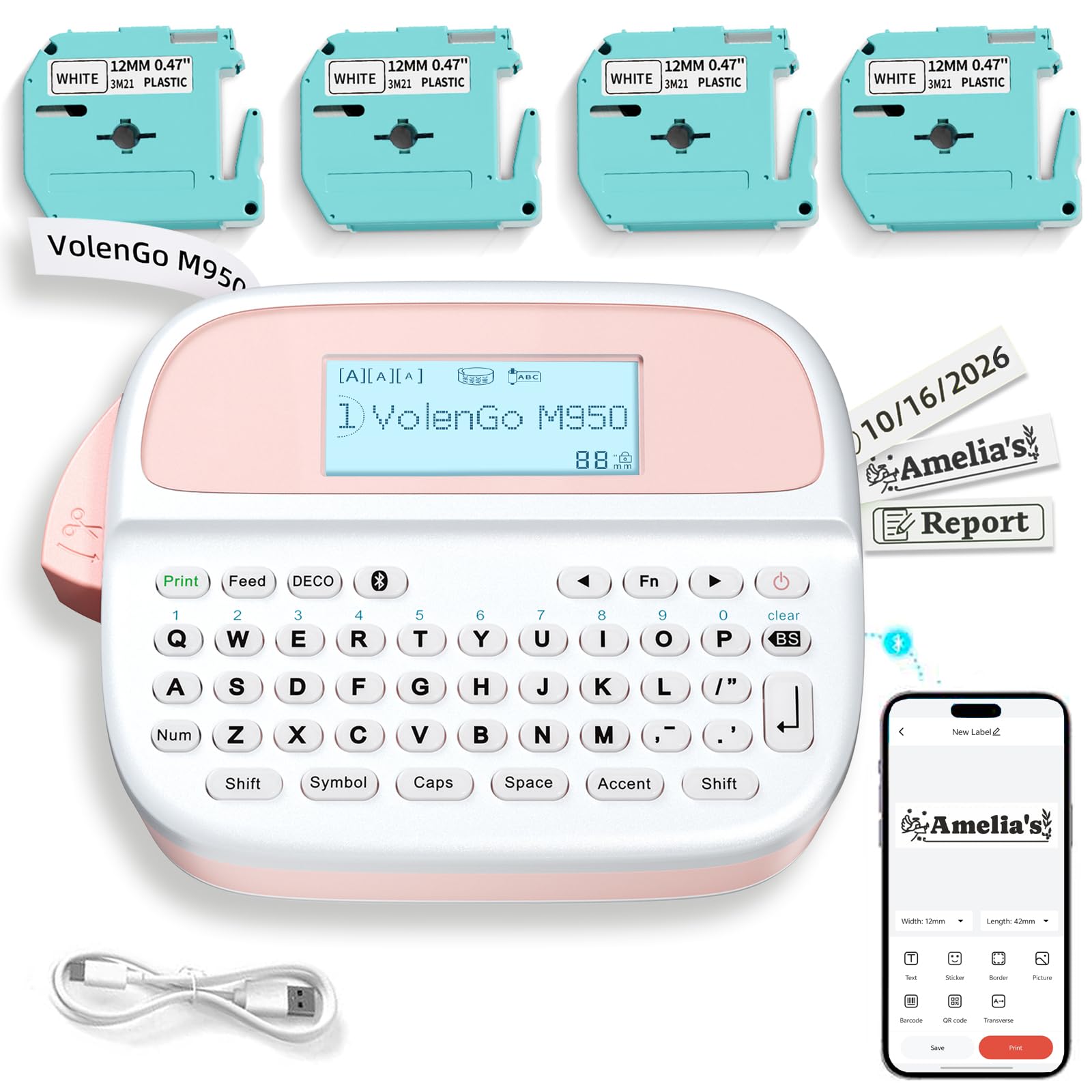
Labeling a dark shelf is where a small unlit screen costs you time, and the M950's backlit display is the reason it is here. Type on the keyboard, see the whole label lit up, print. Add the bold font option and it is the machine that works in a pantry, a garage or the back of a rack, where the cheaper keyboard units leave you guessing.

It also has an app: 1,500-plus icons, 270-plus borders, 110-plus fonts and barcode printing, so the keyboard handles routine labels and the phone handles the elaborate ones. Four 12 mm by 8 m cassettes come in the box, the 1,200 mAh battery charges over USB-C, and at 489 g it is light enough to carry around the house but not to pocket.

Where it fits is the buyer who types most labels but wants the app for the occasional fancy one, and who does not want to think about batteries. The catch is the paperwork: VolenGo states no warranty, and that is the one place it gives ground to the Brother machines, which carry one- and two-year cover.

Bottom line: A keyboard machine with a backlit screen for dim shelves and workshops, plus an app for the occasional elaborate label.

6

Nelko P21

Nelko P21

Budget first-timer

Our Score 8.8/10
Check Price

Worth Noting

  • Every label needs the phone app
  • Tape width tops out near 15 mm
Weight
11.5 oz
Charging
USB-C
Controls
Nelko app via Bluetooth
Print Resolution
203 dpi
Read the full review

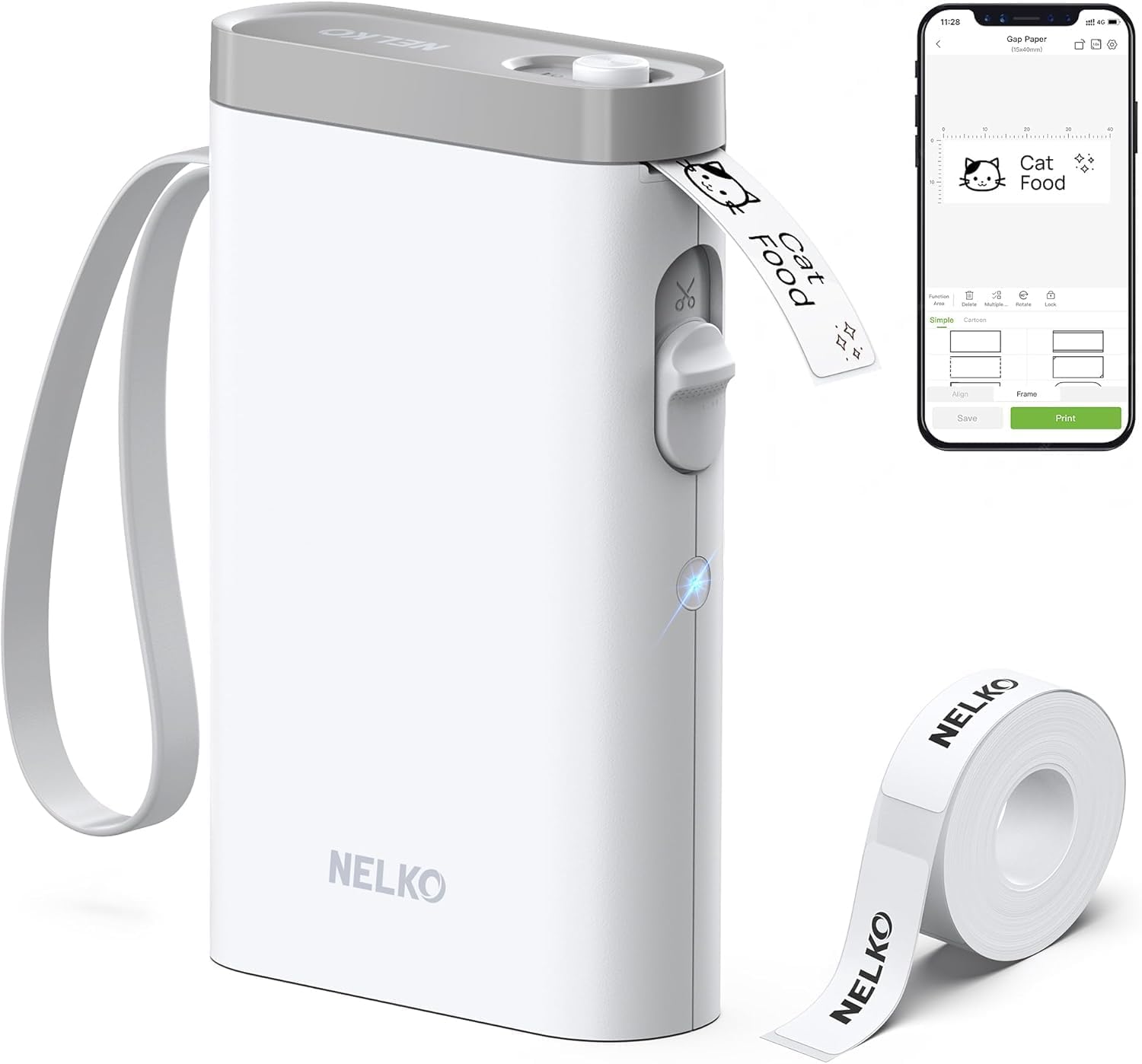
If the budget is tight, this is where we start people. The Nelko P21 is a rechargeable, 11.5-ounce printer that makes clean 203 dpi labels from a phone app, and it costs less than anything else on this list. Setup runs in three steps: install the app, load the roll, connect over Bluetooth. Nothing about that sequence tripped us up.

There is no keyboard, so the phone is the whole interface — good news in a kitchen where you are already holding it, less good in a basement cupboard or a classroom store. What the app does well is the fiddly part: templates, fonts, icons, and barcodes or QR codes if you need them, all previewed before you spend tape.

Tape tops out near 15 mm and the box holds a single roll, so order a spare cassette alongside it. The small labels suit spice jars, cables, storage bins and school kit, and it is the machine we hand to a teenager without a demo — the app does the teaching.

Bottom line: For a first label maker on a tight budget, this is where we point people — as long as a phone is always within reach.

7

Phomemo D30

Phomemo D30

Small items

Our Score 8.6/10
Check Price

Worth Noting

  • Print quality can come out faint or blank
Controls
Print Master app via Bluetooth
Included
3 tapes and a storage bag
Max Label Width
0.55 in
Print Resolution
203 x 203 dpi
Read the full review

The D30 is smaller than a glasses case and prints labels no wider than 0.55 inches, so picture spice jars, cable flags, name tags and school supplies rather than shelf signs. It is the kind of printer that lives in a kitchen drawer and comes out for ten minutes at a time, which is exactly how most household labeling actually happens.

Everything runs through the Print Master app: thousands of icons, plus templates and frames, with a preview before you spend tape. Three rolls come in the box — white, gold and clear — along with a storage bag, which is more variety out of the gate than most machines here offer.

Output is the part to manage. These little thermal heads are sensitive to a dirty head and a cheap roll, and faint or blank labels are the failure mode. Print one label from a new batch, check it, then run the rest, and stick to Phomemo's own rolls rather than no-name refills.

We were pleasantly surprised by the gold tape: a gold label on a black storage tin or a dark bottle looks deliberate in a way white tape never does, and no other pick here ships one. For a household that labels jars and craft supplies more than files, that is a real reason to choose it over a keyboard machine.

Bottom line: The small-label specialist for jars, cables and craft supplies — print a test label before committing to a batch.

How We Tested 12 Label Makers at Home and in the Garage

We started by pulling roughly 40 models from the big office and electronics retailers, then narrowed by tape width, app support, whether refills were easy to reorder, and price. Twelve made the cut, from palm-size handhelds to desktop units that plug into a laptop. Over six months they've been through a pantry overhaul, a garage cleanout, a run of school folders, and one long weekend of camp packing.

Ease of use got measured in seconds: we timed each machine from unboxing to first printed label without opening the manual, then handed it to a teenager and to a coworker who dislikes apps. Every unit printed the same 40-character address and a line of small type, which we checked for jagged edges and banding, then rubbed with a wet thumb to see whether the ink moved. Labels from each went on a dishwasher's top rack, into the freezer for a month, onto a lunchbox, and onto a sunny garage tub, where we watched for peeling, fading, and curled corners.

For the app-driven models, we paired over Bluetooth, walked into the next room to find the range limit, and counted dropped connections mid-print — a couple demanded an account before printing a single label. We measured footprints against a kitchen drawer and an apron pocket, and noted whether each ran on AAAs, a rechargeable battery, or an adapter, including how many quit partway through a project when the batteries faded. Cost per inch of tape and how easily refills could be reordered rounded out the value check. A handful disappointed us with jams and wasted leader tape; those didn't make the list.

How to Choose Label Makers

Keyboard, phone app, or both

An app-only printer is the smallest and cheapest way in, but it makes your phone part of every label — fine at a kitchen counter, awkward halfway into a cupboard. A keyboard machine works with no pairing at all, which matters when you label in short bursts, and it is the only kind you can hand to someone else without a tutorial.

The hybrid machines here give you both, and they suit a project that starts with three jars and ends with a whole pantry. One caution with app printers: design extras sometimes sit behind a paid tier, so check what is free before you plan a big batch.

Match the tape to where the label lives

Laminated tape is the durable option: it handles a freezer shelf, a wet wipe and a garden pot, and it is what Brother's TZe cassettes use. The direct-thermal printers, which is most of the phone-driven ones, need no ink at all, but their labels are more sensitive to heat and sunlight, so they suit jars, folders and cables rather than a car dashboard.

Paper cassettes are for short-term labels; plastic and clear rolls last longer. Whichever you pick, start with a clean, dry surface and press from the middle out — that accounts for most of what keeps a label stuck.

Width decides your text size

Nearly everything here prints on 12 mm tape, which is right for folder tabs, jars and cables. If a label has to be read across a room — a shelf, a bin, a breaker panel — you need a machine that takes 24 mm tape, and in this group that is the Brother PT-D610BT.

Watch the word compact: on a phone-driven printer it usually means the labels are small too. Decide the width from what you are labeling, then pick the printer.

Power, adapters and what ships in the box

Most standalone keyboard machines run on AAA batteries, and several ship without an AC adapter — the PT-D210 among them. In a drawer that is fine; for an afternoon of garage labeling, order the adapter with the machine or budget for rechargeables.

The phone-driven printers are sealed and rechargeable over USB-C, which removes the problem entirely. Count the cassettes in the box as well: four rolls is months of household labeling, one roll is a weekend.

Frequently Asked Questions

Final Verdict

The label maker we recommend for most homes is the Brother PT-D210. It works without a phone, prints on laminated tape that shrugs off a freezer and a wet wipe, and the bundle's four cassettes put off the first refill for months.

Choose the SUPVAN E11 for app design tools and a rechargeable battery at a lower price, or the Brother PT-D610BT when labels need to be an inch wide and made at a desk.