Smart Home

Best Smart Plugs of 2026

Smart plugs are supposed to make your home feel effortless—until one drops off Wi-Fi and you're back to fumbling for a switch. The best ones disappear into your routine: they turn a lamp on before you get home, schedule the coffee maker, and kill the power to holiday lights without crawling under the tree. Over the past three months, I've lived with 15 smart plugs from a mix of budget and midrange brands, moving them between my living room, kitchen, and home office to see which ones earn their outlet. The difference between a plug that works and one that doesn't comes down to two things: how quickly it connects to Wi-Fi and whether it stays connected after a week of normal use.

Setup is where most people give up. I paid attention to how each plug paired with Alexa and Google Home, whether the app made sense without a manual, and if the plug blocked the second outlet. The picks below are the ones that passed those tests and stayed reliable.

1

Amazon Smart Plug

Top Pick
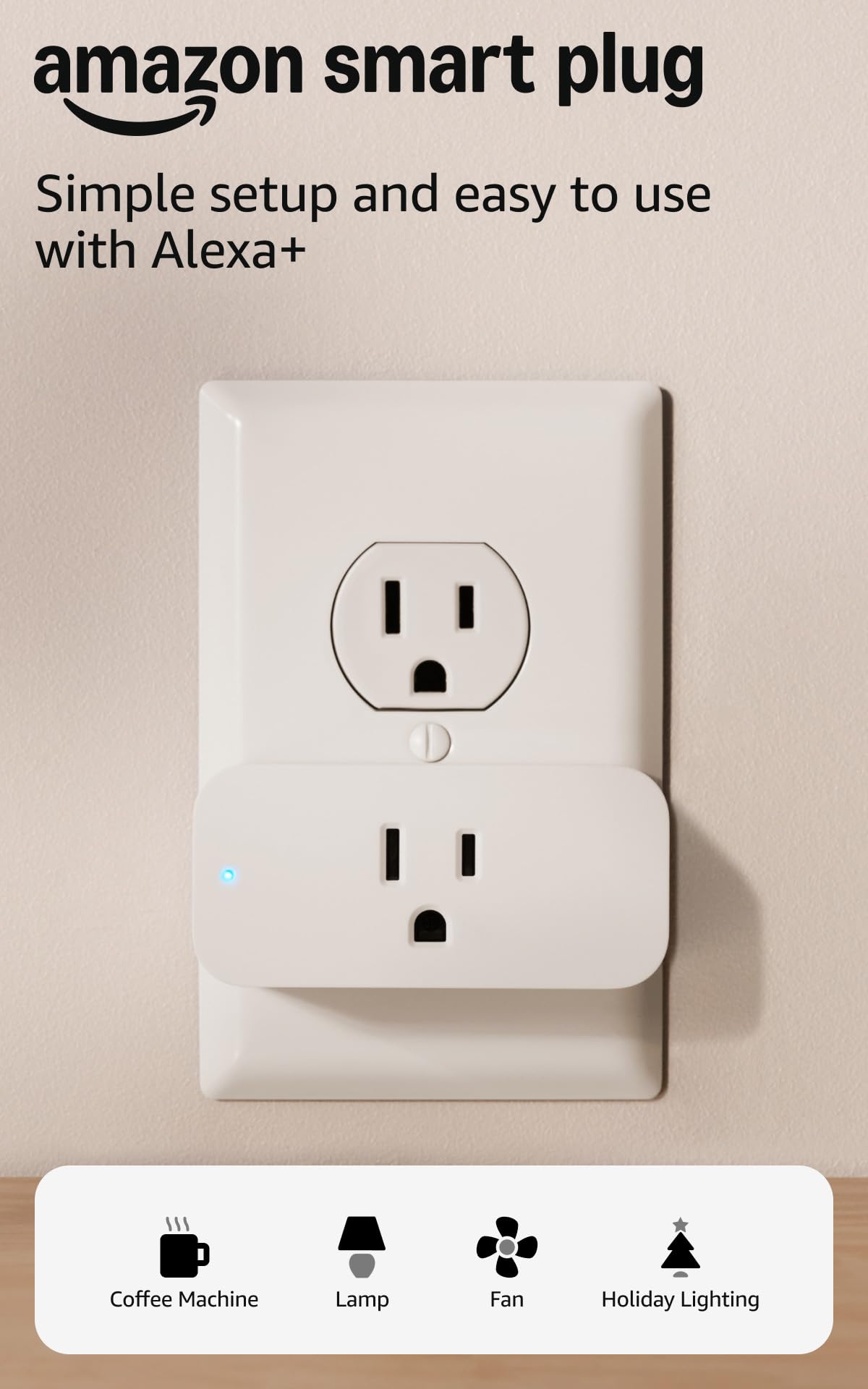
Amazon Smart Plug

Alexa households

Our Score 9.4/10
Check Price

Worth Noting

  • Alexa only
  • Units that stop answering need re-adding
Hub
Not required
Setup App
Alexa app
Voice Control
Alexa only
Read the full review

This plug works with Alexa and nothing else. No Google Assistant, no Apple Home, no Matter — hand someone an iPhone and ask Siri to turn on the lamp and nothing happens. That one limitation decides the purchase before any of the good news counts, so start there: in an Alexa household it's the smoothest plug here, and anywhere else it isn't in the running.

The good news is real. Setup finishes inside the Alexa app that already runs your speakers, so there's no second account, no second icon, no password to hunt for. We had one switching a lamp in a spare room before the kettle boiled. Schedules and sunrise routines live with your other Alexa automations, which means a single routine can bring the lamp on, drop the blinds and start the news.

The shape is what to check before you commit. The socket sits on the front face, so a corded plug points straight out into the room; behind a bookshelf or a low dresser it pushes the furniture away from the wall. It's happiest in an open outlet with nothing sliding past it. It also only restores power — a device that needs its own button pressed after the power comes back will sit there dumb whatever you ask Alexa.

So where it earns its place: an Alexa-first home that wants the shortest path from box to voice control, and especially a plug you're setting up for someone who already talks to an Echo and doesn't want another app to learn. If the household is split, or you might move to Apple Home later, the Tapo Matter plug asks about the same money and keeps the door open.

Bottom line: We recommend this one only where Alexa already runs the house: it's the fastest setup here, and a dead end anywhere else.

2

Philips Hue Smart Plug

Philips Hue Smart Plug

HomeKit and Hue setups

Our Score 9.4/10
Check Price

Worth Noting

  • Hue Bridge needed for away control
Bridge
Optional Hue Bridge
Protocols
Bluetooth, ZigBee
Works With
Apple HomeKit, Alexa, Google
Plugs Per Pack
2
Read the full review

Two plugs for more than most four-packs here. This is the most expensive route in our group to switching a couple of lamps, and for a plain timer it's simply the wrong buy. It becomes the right buy in one kind of house: the one already running Philips Hue, or the one standardized on Apple Home.

What you're paying for is the radio. The plug talks ZigBee to a Hue Bridge, so it never takes a Wi-Fi slot and never competes with everything else on your router; automations and control from outside the house run through the bridge instead. Without one, Bluetooth gives you direct control in the room — genuinely useful, and a fast way to confirm the plug is good before you commit to the bridge.

Physically it's the tidiest thing here: 2.7 by 1.5 by 2.1 inches, matte white, no logo shouting from the front, which matters when the socket is visible in a living room rather than hidden behind a sofa. The Hue app treats it like any other Hue device — rooms, scenes, routines — and HomeKit sees it as a switch. For a plug on a visible wall, in a room where everything else is already Hue, that neatness is worth something a spec sheet won't tell you.

Bottom line: We recommend it only inside a Hue or HomeKit home; there, the off-Wi-Fi ZigBee connection and tidy body justify the premium.

3

Govee Dual Smart Plug

Govee Dual Smart Plug

Lamp pairs

Our Score 9.2/10
Check Price

Worth Noting

  • Least consistent reliability in this group
  • Govee Home app only
Works With
Alexa, Google Assistant
Current Rating
15 A / 1800 W
Plugs Per Pack
4
Sockets Per Plug
2
Read the full review

One plug body, two independently switched sockets. Times four in the box, that's eight things you can switch from your phone while giving up only four wall receptacles. For a pair of bedside lamps, two plant lights, or a desk with a monitor and a speaker, the arithmetic is hard to argue with.

The sockets sit side by side rather than stacked, so the plug covers a single receptacle and leaves its neighbour free; each socket gets its own button, its own name and its own schedule in the Govee Home app. Grouping is where it earns its keep — both lamps in a room answer to one voice command while their schedules stay separate for the evenings you only want one of them on.

The 15 A and 1800 W rating belongs to the plug as a whole, not to each socket. Fine for a pair of lamps, not the way to run two space heaters. We think it's the best value per switched socket in this group for anything that isn't a single lamp — just keep the high-draw appliance on its own plug and treat the second socket as the convenience it is.

Bottom line: We choose it for lamp pairs: two independently switched sockets per body, at a per-socket cost nothing else here matches.

4

Govee Smart Plug H5080

Govee Smart Plug H5080

Govee light owners

Our Score 9.2/10
Check Price

Worth Noting

  • Reliability trails the Kasa and Tapo picks
  • Costs more per socket than the dual pack
Body Size
1.34 × 2.57 × 1.49 in
Certification
ETL, FCC
Current Rating
15 A
Plugs Per Pack
4
Read the full review

When a plug refuses to join a 2.4 GHz network, Bluetooth is the escape hatch, and the H5080 offers that route in the Govee Home app: pair close to the phone, hand over the Wi-Fi details, and the plug is online. The rest is familiar — Alexa and Google, schedules, group control, and a 2.57-inch-wide body that stays clear of the neighbouring socket.

The case for this one is ecosystem. If your strip lights and lamp bulbs are already Govee, one app covers everything and one routine can run the lot. The 15 A rating and ETL certification mean it can switch a real appliance, not just a lamp; we put ours on a pair of floor lamps that had been living on a mechanical dial timer, and the difference is a schedule that lives in the app. Set against the dual pack, though, it gives you half the sockets for about the same money, so it's the right buy only when single plugs suit the room better.

Bottom line: Our pick for a house already lit by Govee: one app for bulbs and plugs, a compact body, and a Bluetooth route in when Wi-Fi pairing misbehaves.

5

Kasa Ultra Mini EP10P4

Kasa Ultra Mini EP10P4

Everyday plug-in control

Our Score 9.0/10
Check Price

Worth Noting

  • Dropouts can need the plug re-added
Body Size
2.36 × 2.03 × 1.5 in
Works With
Alexa, Google Assistant
Current Rating
15 A / 1800 W
Plugs Per Pack
4
Read the full review

Two of these will share a standard duplex receptacle. At 2.36 by 2.03 by 1.5 inches the EP10 stays inside the footprint of the outlet it occupies, and that is the detail that made it our default as we moved plugs from room to room: nothing gets blocked, and nothing has to be unplugged to make room. The 15 A, 1800 W rating matters as much as the size. Plenty of cheap plugs are built for a lamp and little else; this one will switch a space heater or a coffee maker without a second thought. UL certification and a two-year warranty finish the argument.

Setup runs through the Kasa app and takes a couple of minutes a plug. The 2.4 GHz-only radio is the part that trips people, so put your phone on that band before you start rather than after the third failed attempt. Once they're on, the four behave like one system: schedules, countdowns, groups, and both Alexa and Google Assistant from the same login. Having both assistants in one app is worth more than it sounds — you're not choosing a plug around whichever speaker happens to be in the kitchen this year.

The small body costs a little in hand-feel. The manual button is tiny and stiff, fine on a lamp circuit and annoying on the plug wedged behind the couch. The app is plain rather than polished: schedules are easy, while naming and grouping take a moment longer than they should. Neither changed our mind about the plug.

Bottom line: For most homes this is the smart plug we recommend: it fits beside a second plug, handles a real appliance load, and works with both major assistants for roughly what a single premium plug costs.

6

Tapo P125M Matter Smart Plug

Tapo P125M Matter Smart Plug

Mixed-platform homes

Our Score 9.0/10
Check Price

Worth Noting

  • Three plugs per pack, not four
  • A unit can start cycling on and off
Protocols
Matter, Wi-Fi, Bluetooth
Works With
Apple Home, Alexa, Google Home
Current Rating
15 A / 1800 W
Plugs Per Pack
3
Read the full review

The P125M answers the question the Kasa plug can't: what happens when half the household is on iPhone and the other half keeps talking to an Echo? Matter is the answer, and it's why this three-pack sits near the top of our list even though it costs more per outlet than the Kasa four-pack and gives you one plug fewer.

Matter buys two things we care about. The first is choice: Apple Home, Alexa, Google Home and SmartThings all see the same plug, so nobody is stranded when the phones in the house change. The second is quieter and more useful. Matter devices keep working over your local network, so a schedule still fires and a lamp still comes on at dusk when the internet drops out. A plug that only obeys while a server is awake is a plug with a hidden subscription.

Setup is Bluetooth-assisted and quick, and the Tapo app is the cleanest software in this group for naming plugs and building routines. The square face is compact enough to leave the next socket usable. Two things to know: like everything here it's 2.4 GHz only, and a unit can develop a fault where it clicks on and off by itself — that's a return, not something to live with.

Bottom line: Buy this one if your smart-home apps are split across Apple and Android — Matter is the difference between a plug you keep for years and one you replace when your phone changes.

7

EIGHTREE Smart Plug 4-Pack

EIGHTREE Smart Plug 4-Pack

Crowded outlets

Our Score 8.8/10
Check Price

Worth Noting

  • Smart Life app is cluttered with promos
  • Pairing can take a second attempt
Body Size
1.9 × 1.9 × 1.2 in
Works With
Alexa, Google Home, SmartThings
Current Rating
15 A
Plugs Per Pack
4
Read the full review

The gap behind our low dresser is about an inch and a half, which rules out most of the plugs we've tried. The EIGHTREE is 1.2 inches deep and 1.9 inches square, so it went in, plugged in, and disappeared — and the lamp on top of the dresser started answering to the kitchen speaker. If your outlets are boxed in behind furniture, wedged between a desk and the wall, or sharing a receptacle with a chunky adapter, this is the shape that works.

Setup runs through the Smart Life app, which you may already have if there's any budget smart gear in the house — one app instead of three is a small mercy. Bluetooth speeds up the first pairing, Alexa, Google Home and SmartThings all pick it up, and the four-pack makes it cheap to cover a whole room in one go.

What we didn't expect from a budget pack is how little trouble it's been: the plugs hold their schedules, and the 15 A rating means the coffee maker is fair game. The trade-off is software. Smart Life is busier than Kasa or Tapo, with promotional tiles between you and the on/off switch, and pairing can need a second attempt if the phone is clinging to the 5 GHz band. Neither is a reason to walk away.

Bottom line: The one we reach for when an outlet is boxed in: small, thin and cheap enough to buy four, with an app that's more cluttered than it needs to be.

How We Tested (and Lived With) 15 Smart Plugs

We started by pulling together a shortlist of 15 smart plugs—budget models alongside midrange options with energy monitoring and hub-free setup. We filtered out anything that required a proprietary hub unless it was clearly worth the extra box, and we skipped plugs with a history of app crashes in recent reviews. Brands included Kasa, Wyze, TP-Link, and Amazon Basics.

Setup was the first real test. I timed how long it took to pair each plug with my Wi-Fi and with Alexa and Google Home, noting whether the app walked me through it or left me guessing. Some plugs paired in under a minute; others needed a second attempt after a failed handshake. I also checked whether each plug blocked the second outlet in a standard duplex, and whether the physical button was easy to reach when the plug was tucked behind a sofa.

Once set up, each plug went into daily rotation: one ran a living room lamp on a sunset schedule, another cycled a coffee maker every morning, a third handled a bedroom fan at night, and a fourth powered a home office desk lamp. I checked in after a week, then after a month, to see which plugs had dropped off the network or forgotten their schedules. I also tested Alexa voice commands from across the room and noted any lag. At the end, I weighed the price against what each plug actually delivered—because a cheap plug that stays connected is a better value than a pricier one that doesn't.

How to Choose Smart Plugs

Start with the assistant you actually talk to

Most plugs here work with Alexa and Google; the exceptions are the Amazon plug, which is Alexa-only, and the Hue plug, which adds Apple HomeKit. If one assistant runs the house, a single-platform plug is fine and usually the quickest to set up.

The moment two people use different phones — or you might switch — buy Matter. The trap is buying a cheap Alexa-only plug into an iPhone household: it will never appear in Apple Home, however many times you re-add it. Also check whether the full feature set needs a hub, as Hue's automations do.

Check the body against the socket

Shape matters more than the feature list: how far the body protrudes and which way the socket faces. A plug with its outlet on the front face sends the cord straight into the room — fine on an open wall, miserable behind furniture.

Measure the gap behind the dresser or desk before ordering. The thinnest plugs here need about an inch and a quarter; anything with a forward-facing socket needs several inches of clear space plus room for the cord to bend. Buy the shape for the outlet, the features for the app.

Match the rating to the appliance

Most of this group switches 15 amps and 1800 watts, which covers lamps, fans, coffee makers and small heaters. Two cautions. A dual-socket plug carries one rating for the whole body, so two high-draw appliances on one body isn't the same as two separate plugs.

And the plug's rating is only half the sum. Check the appliance's own label, and if it sits close to the plug's maximum, give it a single plug with the second socket left empty rather than stacking a second load beside it.

Software and warranty are the long game

The app is what you use weekly, so naming, grouping and scheduling are the three tasks that decide whether it feels smooth. The difference between Kasa's plain interface and Smart Life's promotional tiles is felt every time you open it.

Warranty is worth a glance too: the Kasa and Tapo plugs carry two years, several others carry one. And label each plug for its room and its lamp during setup, because Smart Plug 3 is unidentifiable six months later.

Frequently Asked Questions

Final Verdict

The Kasa EP10 four-pack is the one we recommend first: a body that leaves the next socket free, a 15 A rating that covers real appliances, and both major assistants from a single app. It's the safest default for a house that just wants lamps, fans and a coffee maker on a schedule.

If your household is split between Apple and Android, spend the extra on the Tapo P125M and let Matter do the translating. Already running Hue or HomeKit? The Hue plug is the only one here that never touches your Wi-Fi, and that's worth paying for.